What can I upload?
Share what you drive and what you earn. Together we can see how pay compares by city and vehicle.
Uber Driver
Full Uber data export (ZIP)
Start with the full ZIP for the most complete trip and payment history. RideWage reads dates, distances and pay details when Uber includes them. See identifiable Uber Eats earnings in My Data.
See what to look for inside the ZIP
driver_lifetime_trips.csvlists trips, times and distances.driver_payments.csvlists payment amounts and categories.
The names may end in a number. If your ZIP is over 12 MB, upload these CSVs separately.
Uber PDFs and exports
Upload a weekly earnings statement, or a monthly or annual Tax Summary for a specific period.
See an Uber Tax Summary example
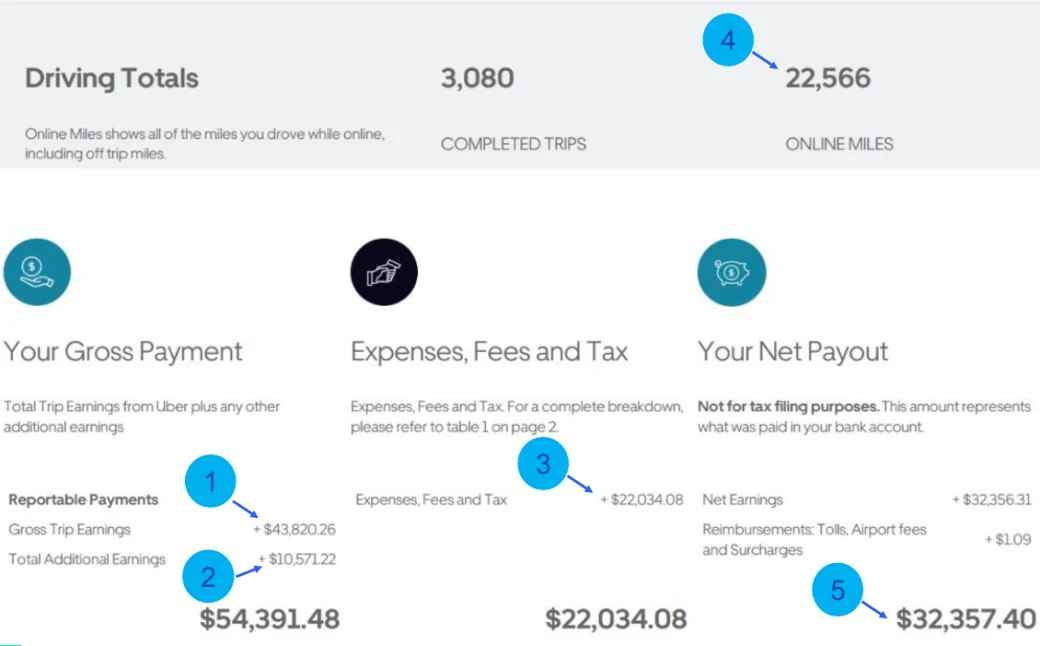
How to download Uber statements and trip history →
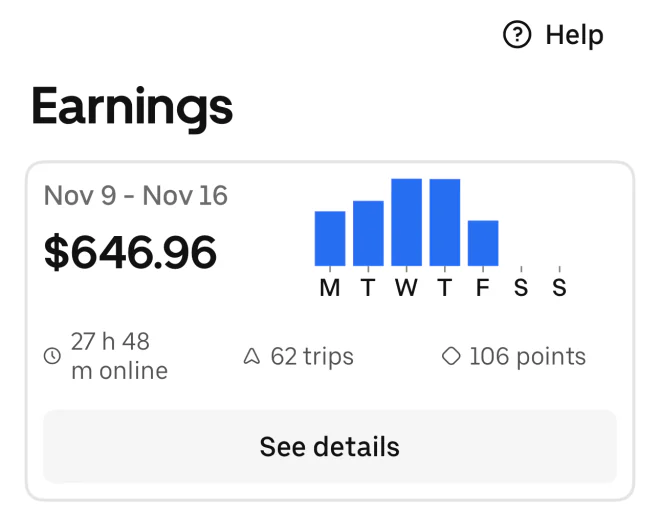
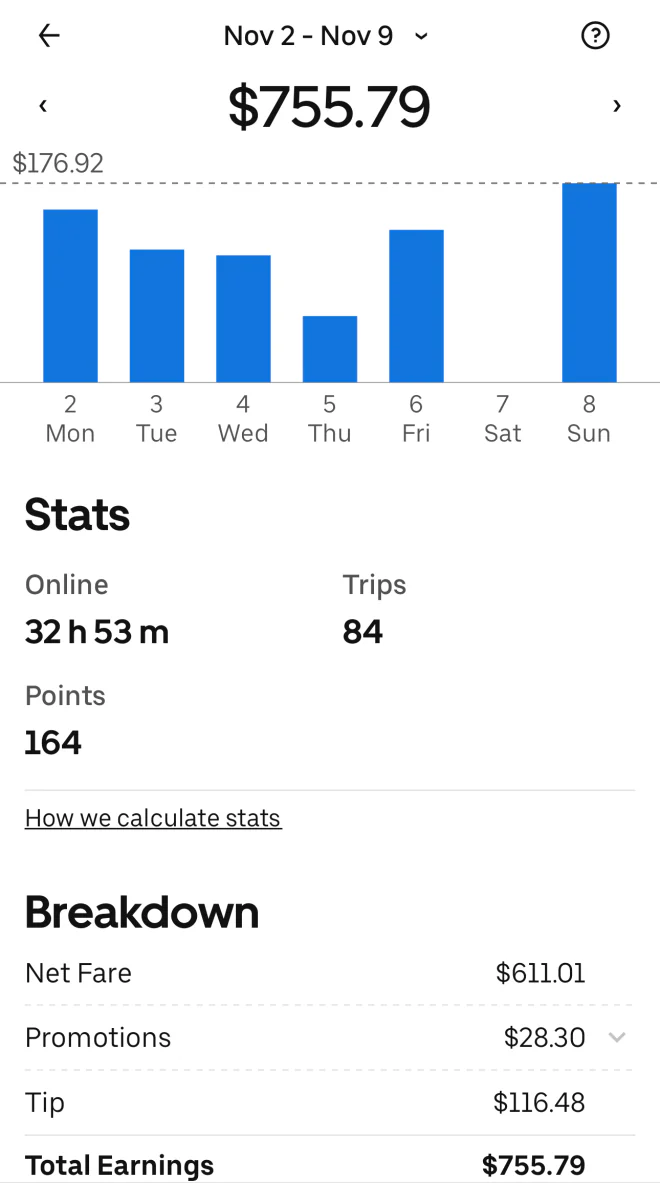
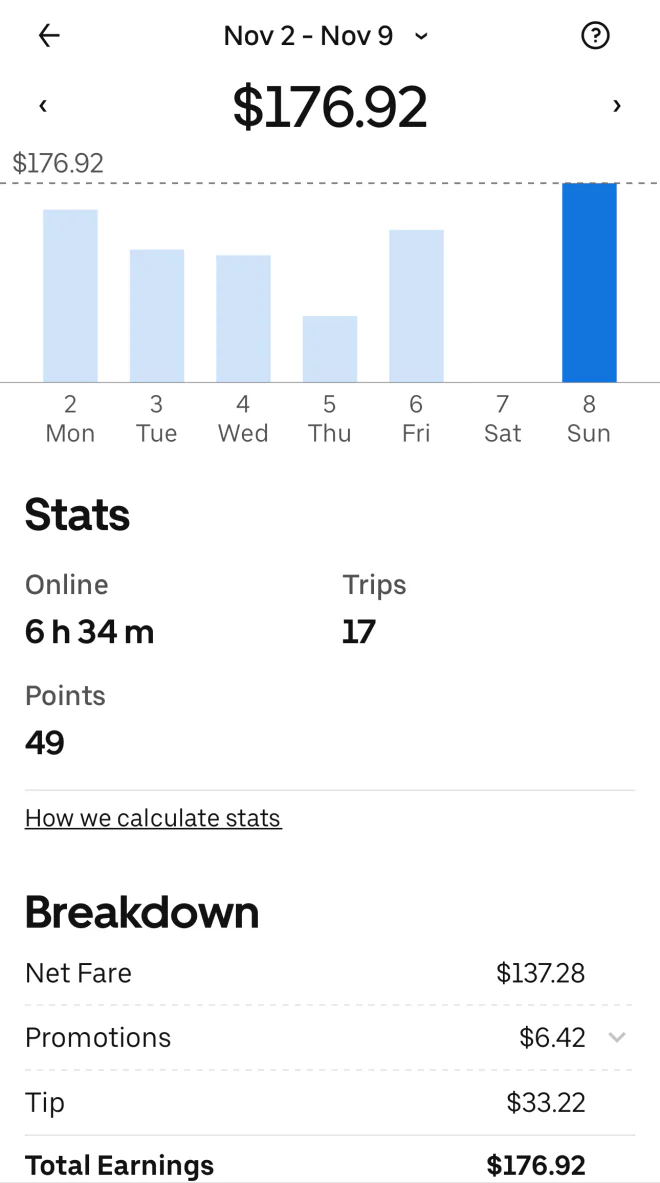
Uber earnings screenshots
Share any of these earnings screens. Keep the date, total pay and online time visible.
Lyft Driver
Share your earnings or weekly breakdown. For hourly pay, keep the dates, total and Online time visible.
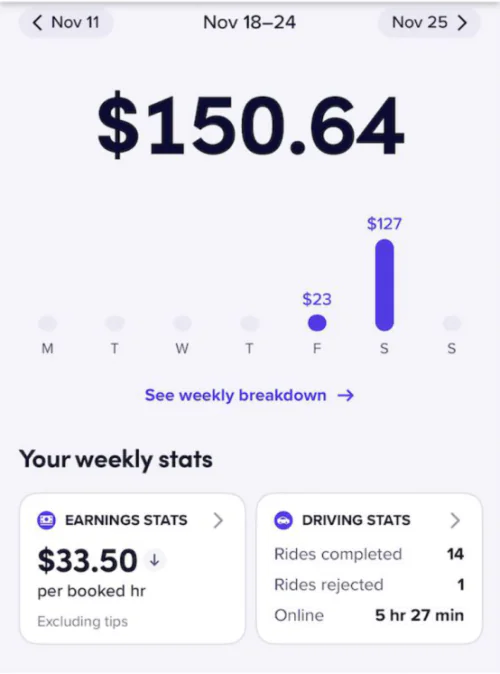
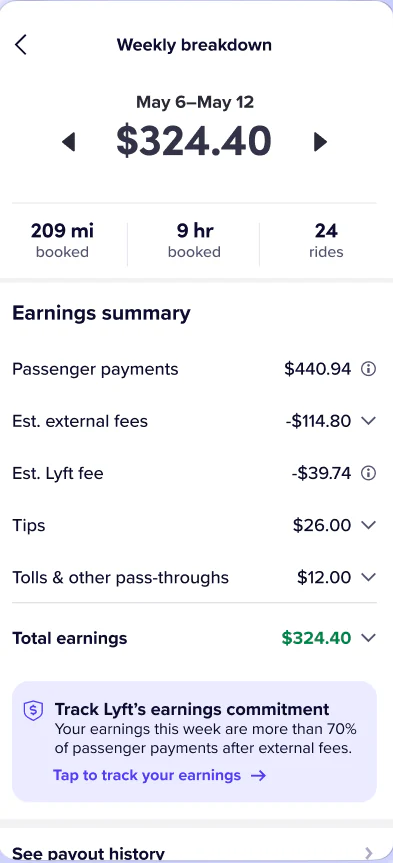
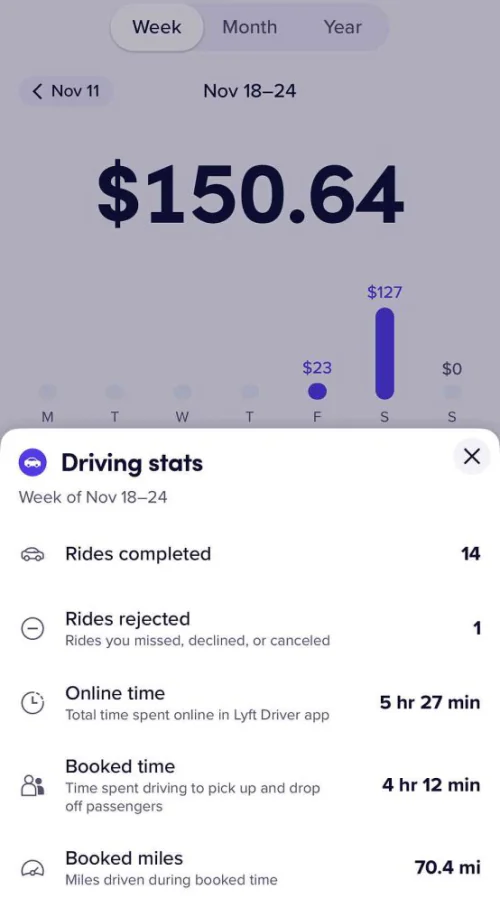
How to take a Lyft earnings screenshot →
Lyft PDFs and exports
Upload a Lyft Weekly Summary PDF, or ZIP several of those PDFs together with their original file names. See the rides, time online, pay and tips Lyft reported.
Lyft also offers an account data ZIP. Import of that export is pending.
See a Lyft weekly summary example
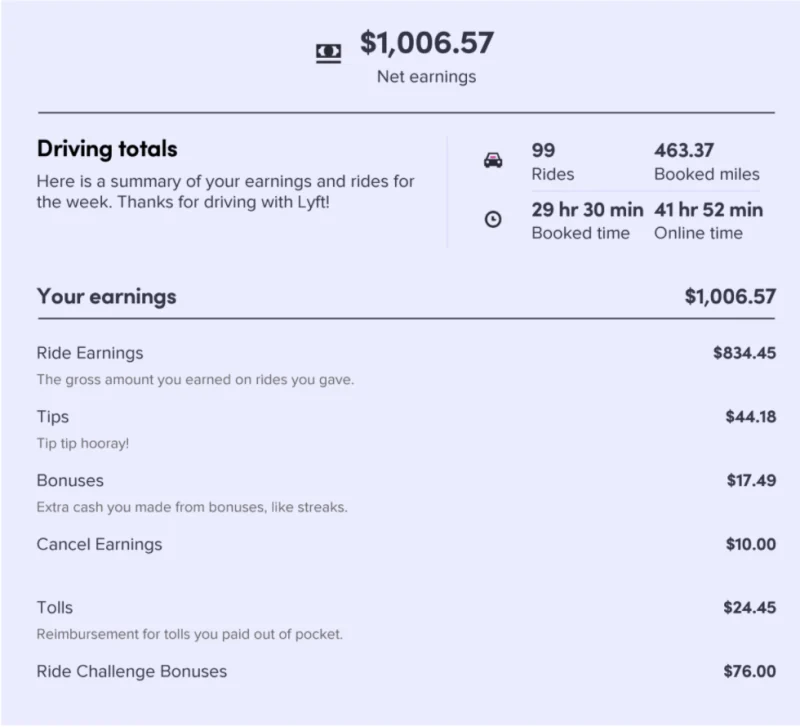
Your uploads stay private. Cover passenger names and addresses. RideWage shares anonymous earnings stats.