Which Uber Driver Earnings Screenshot Should You Upload?
Open Earnings in the Uber Driver app. You can share the weekly earnings card, the detailed week, or a single day selected on the chart.
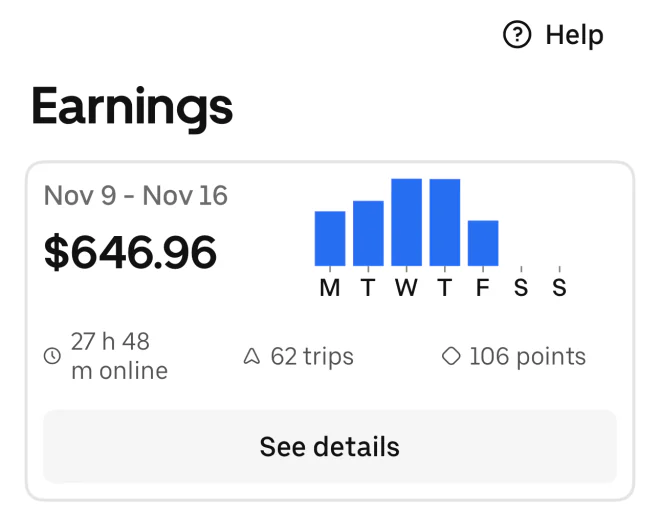
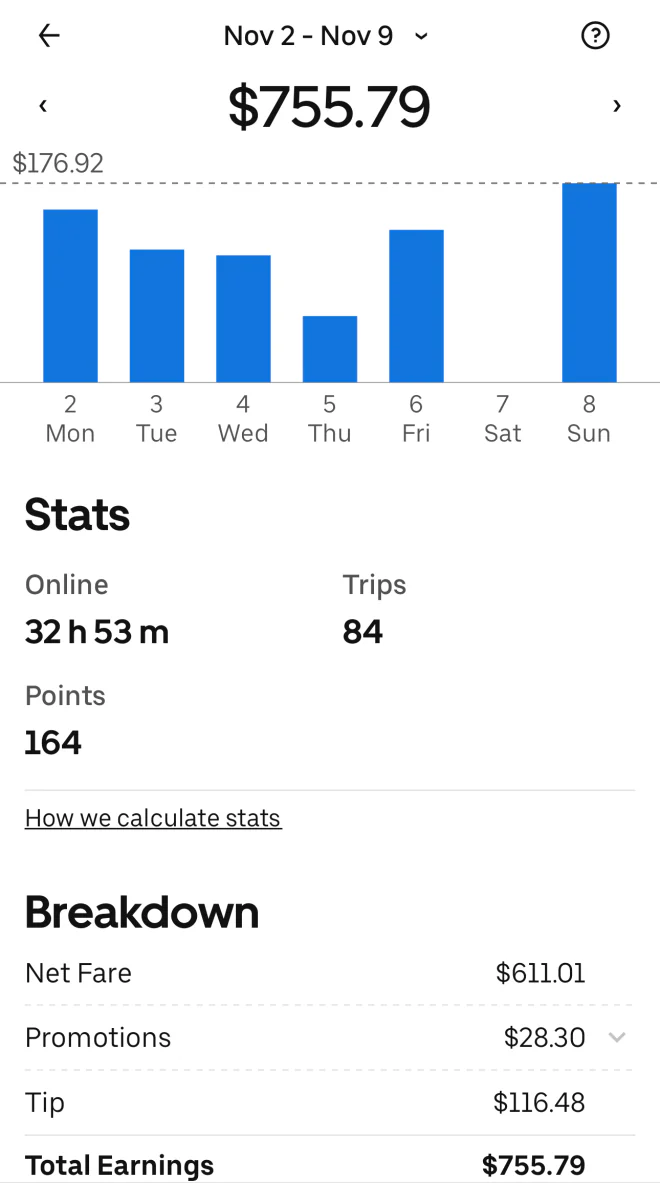
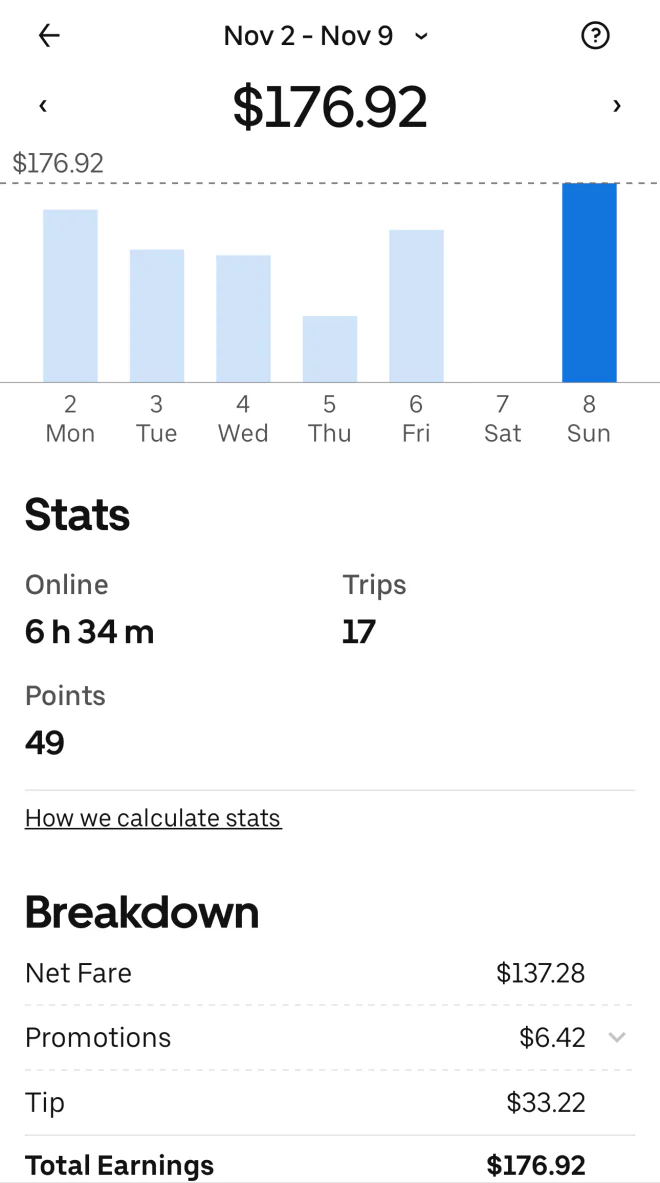
Read the date, total and online time
For a full week, use the total for the date range shown above the chart. On the detailed screen, keep Stats and Breakdown in the shot so RideWage can also read trips and tips when shown.
When you select one day, the title still shows the week. The highlighted bar and the date below it identify the day whose pay and online time are shown.
Share an Uber PDF
You can also upload a weekly earnings statement or a monthly or annual tax summary. The download guide shows where to find those PDFs in the Uber Driver Dashboard.