Which Lyft Driver Earnings Screenshot Should You Upload?
Tap your earnings in the Lyft Driver app and select Week. Capture the dates, total pay and Online time if they fit on one screen.
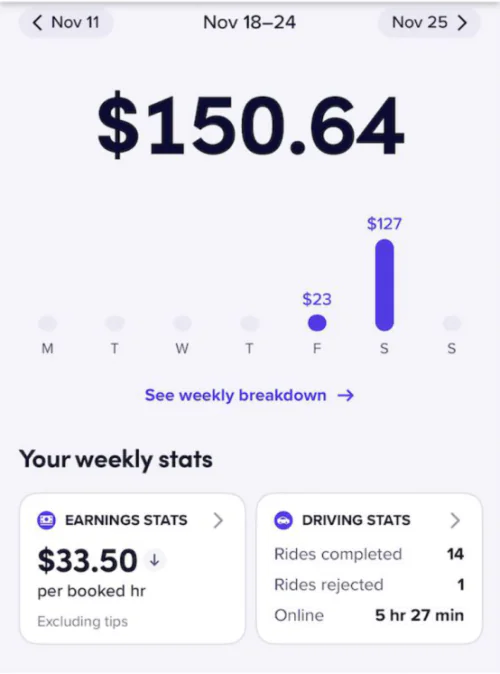
Find your online time and tips
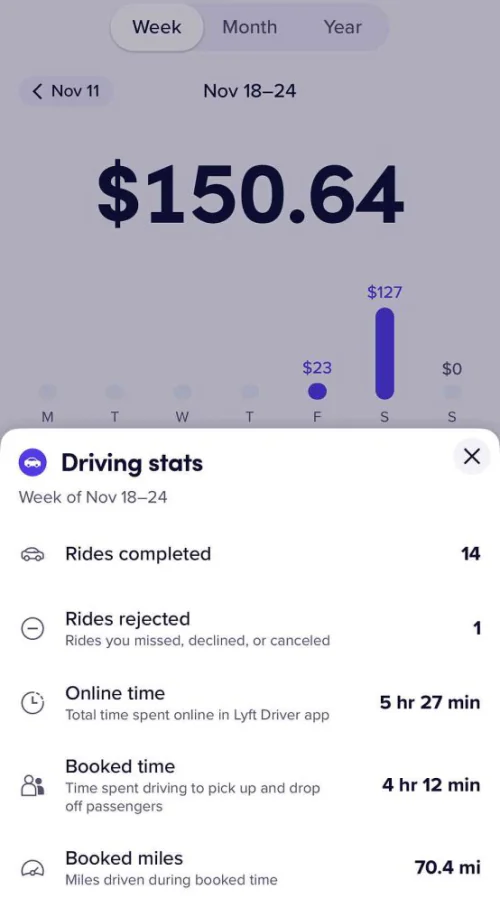
Open Driving stats for your Online time. It includes time spent waiting for rides. Lyft may also show Booked time, which covers the time between accepting and finishing rides.
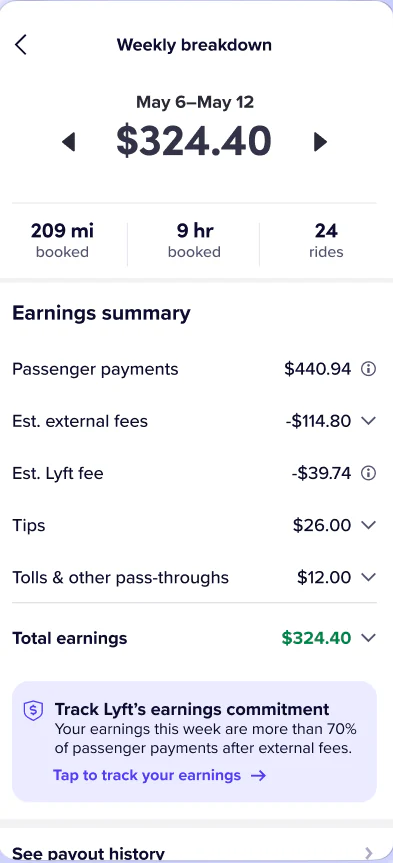
Open See weekly breakdown to capture the dates, total earnings and tips. You can share that screen even if it only shows booked hours.
Find Lyft statements and ride history
The Lyft Driver Dashboard offers a weekly summary PDF. Use the download guide to find it or request your archive. For RideWage, upload the screenshots shown above.